I've Been Rejected from the App Store 6 Times. Here's What I Learned About the VPN Category
Over three years I've published more than six VPN apps in the App Store, some for clients and some my own. And in that same stretch I've been rejected six times. Sometimes on the fifth try. If you're building a VPN for iOS, sooner or later you'll run into the same wall. This post covers the rejections I've gotten, what helps you get through, and what I do before submitting so I don't spend two weeks stuck going back and forth with Apple.
Why a VPN is a special category
Apple doesn't officially ban VPN apps. NordVPN, ExpressVPN, ProtonVPN and dozens of regional players live in the store just fine. But any attempt to publish something new there is a roll of the dice.
Review looks at a VPN app from several angles. Is it a real service or a wrapper around someone else's? Is it submitted from a company account or an individual one? Does it use the NEVPNManager API or some kind of workaround? Is it clear who's behind the product? Does the marketing contain any calls to get around blocks? Does the app look like a clone of ones that already exist?
There are no clear rules. The same screen will pass one day and get rejected the next. That's the nature of the category, and you have to work with it the way you'd work with the weather.
Account type: organization, not individual
This is the point you hear least often in tutorials, but it's the most important one. VPN apps can only be published from an organization account in the Apple Developer Program. If yours is an individual account, your first submission will get a rejection roughly like this:
Guideline 5.4, Legal. Your VPN app was submitted by an Apple Developer Program account registered to an individual, which is not appropriate for the App Store. All VPN apps must be submitted from an Apple Developer Program account registered to a company or organization.
The rule has been around since 2019 and has gotten stricter since. You can't appeal your way out of it. Either you convert your individual account to an organization (a request to Apple Developer Support plus legal documents), or you register a new organization account with a D-U-N-S number.
All my projects ran on clients' organization accounts, so I only hit this rejection on my very first VPN app. If you're starting from scratch, budget 2–4 weeks to set up a company before you even open Xcode.
Six rejections: what happened
Rejection 1. Guideline 5.4, boilerplate
I was submitting a client's VPN. Got a rejection saying the app "does not meet the requirements for VPN apps under section 5.4." No specifics. It happens: the reviewer sensed something was off but didn't say what.
Here's what helped. We added a clear statement of the operating company with its legal details to the description. We removed any mention of "access to prohibited content" from the screenshots. We renamed the tiers from "basic/premium" to neutral names. It went through on the second try.
Rejection 2. Guideline 4.3, Design Spam
We submitted M5VPN. A client app, dark theme, minimalist. We got rejected for being "too similar to apps already in the App Store."
What helped was reworking the onboarding with custom illustrations and adding what makes the app different to the description (dark theme, VLESS protocol, real-time traffic stats). It went through on the third try.
Rejection 3. Guideline 5.4 + 2.1, more information needed
We submitted MeerGuard iOS. Apple asked for more detail on who's behind the app, whose servers are used, and which company owns the infrastructure.
We confirmed the partner legal entity and described the infrastructure: countries where servers are hosted, encryption types, logging policy. We published a privacy policy on the site with real contact details. It went through on the fourth try.
Rejection 4. Guideline 5.4, data use not explained well enough
Got this wording:
We noticed that your app does not sufficiently explain how your app or VPN service is using data collected from users.
And here's an important nuance I missed on my first pass. Apple doesn't consider a Privacy Policy and Terms of Service a sufficient explanation. You need a separate screen inside the app, before the first VPN connection, that clearly states what data is collected and why, and where the user gives explicit consent.
We added the screen. It went through on the third try.
Rejection 5. Guideline 5.4, regional restrictions
The app was built specifically for the Russian market. Russian localization, pricing in rubles, the service description in Russian. Apple suggested either removing the app from the Russian App Store or reworking it for an international audience. More on regions below.
Rejection 6. Guideline 2.5.1, private API
This one's a technical mistake. We were using a library for Xray that internally called methods considered private. Apple detects this automatically and tells you exactly which methods you touched.
We updated the library to a version without those calls. It went through on the second try.
The icon: a shield, a lock, a globe as a likely rejection
You won't find much about this in tutorials, but it's real. Apple specifically looks at "generic" icons in saturated categories. VPN apps have three classic icons that thousands of developers have copied:
- A shield on a blue gradient
- A lock on a black background
- A globe with an orbital line
These icons technically fall under Guideline 4.3(a), Design Spam. I personally got a reviewer note that said outright: "the icon doesn't do enough to distinguish the app from others in the VPN category." The wording is boilerplate, but there's a real problem behind it.
What works:
- Your own composition rather than a single symbol. MirNet (WorldYes) has an icon with a world in the style of live wallpapers, nothing like a classic VPN
- A color outside the category's palette. Blue, black, green, that's "everyone." Yellow, purple, warm beige do better
- Your own letter or mark if the app is about a specific brand. Just not the word VPN in the icon itself
What doesn't work:
- A shield as the only element
- A lock with no context
- A globe with a line
- A standard SF Symbol on a gradient (
shield.fill,lock.fill,globe)
The icon isn't the most common rejection, but once a reviewer has noticed it, your chances of getting through drop sharply. Redoing an icon before release costs more than rethinking the name.
The name: the word VPN in the title
The word “VPN” itself isn't banned in the app name. But Apple is suspicious of two patterns.
The first pattern: Word VPN: Free Fast Secure Unlimited. Any combination of “VPN plus a tail of promises” goes straight to detailed review. Formally, that's Guideline 4.1c — metadata doesn't match functionality. In practice, Apple considers names like that manipulative.
The second pattern: “VPN” as the first word. I've seen the wording “the name should reflect functionality, not a category” several times. Apple wants the main title to be a brand, with the functionality description moved to the subtitle.
| Bad | Good |
|---|---|
| VPN Fast Secure | MeerGuard. Secure Connection |
| Free VPN Unlimited | MirNet (subtitle: Secure Network) |
| Super VPN Pro | M5. Network Privacy |
You can use the word VPN in the Subtitle. That field is for clarification. But the app name has to be a brand, not a category.
Design: too simple is bad too
A paradox that caught me off guard on my third or fourth project: a minimalist VPN gets rejected too. Guideline 4.2, Minimum Functionality.
If the app is just a screen with a “Connect” button and a dropdown of countries, Apple may treat it as a “webview wrapper around a VPN service” or an app without enough functionality. Especially if payment happens on the website and the app is literally a button and a list.
What counts as “sufficient functionality”:
- Real-time traffic stats (speed, volume)
- Speed test inside the app
- Connection history with timestamps
- Custom routing (split tunneling)
- A widget for quick switching
- Biometrics for unlocking
- Several visual themes
You don't have to do all of it. But one or two “extra” screens beyond the button and the server list greatly reduce the odds of a 4.2 rejection.
And second. Don't go for generic gray minimalism. In 2025-2026 Apple favors apps with character. Lively graphics, original typography, an unconventional palette. The app's identity should be visible from the first screen, otherwise it looks like hundreds of others.
What I do before submitting
Six rejections taught me that preparing for review matters more than the development itself. Before submitting a VPN app, I go through this checklist.
First, I scrub everything that hints at getting around blocks. In the description, the screenshots, the plan names, the onboarding. No words like “access to blocked sites,” “circumventing censorship,” “internet freedom.” That's the most common reason for rejection. I replace them with neutral wording: “secure connection,” “traffic protection,” “data privacy on public Wi-Fi networks.”
Next I check the business model. The description should make clear who's behind the app, which company it is, whose servers are used. If the app is a client's, I name the client. If it's ours, I name our company. The Privacy Policy shouldn't be “generated from a template” but real, with contacts and a description of what data is collected and why. Apple checks this.
Then I look at the consent screen. Before the first connection there has to be a separate screen with explicit consent to data collection. Not the Terms of Service, not the Privacy Policy. An actual in-app screen, with a large “Accept” button and clear text. Guideline 5.4 requires this.
Screenshots. No “VPN” in giant text, no world maps with country labels as marketing, no promises of “1 GB free to get around blocks.” Screenshots should show a normal app: the main screen with an on button, a server list with flags, traffic stats, settings.
The icon. Before submitting, I put my icon next to screenshots of the top 30 VPN apps in the App Store. If it resembles even one of the top 10, I redo it. That's a couple hours of a designer's work, but it greatly lowers the risk.
The name. A short product name in the Title. Functionality in the Subtitle. No “Free,” “Fast,” “Secure,” “Unlimited” in the Title. You can use those words in the description, but not in the name.
Plan descriptions. “Premium, access to all servers with no speed limits” is fine. “Premium, access to sites banned in your country” is an instant rejection.
Functionality. If the app is nothing but a “Connect” button and a server list, I add at least traffic stats and connection history. That lowers the risk of a Guideline 4.2 rejection.
Publishing region. Over the past two years Apple has gotten stricter in a number of countries. More on that in a separate section below.
Infrastructure. If the app is for a client, naming the actual VPN service operator is critical. Apple is suspicious of wrapper apps with no clear owner. In the description I write something like: “The app uses the servers of such-and-such a company registered in such-and-such a country. More about the company and infrastructure at the link.”
Private APIs. Before building, I run the check through Xcode. Apple detects this automatically — it's an easy way to get rejected out of nowhere.
What doesn't work
Endless appeals. Sometimes an appeal helps, sometimes it doesn't. After two appeals with no result, it's better to rework and resubmit than to argue.
“I'm a developer, it's just a tool.” Apple doesn't care. They look at the end product and the user. The “but it's just technology” argument doesn't work.
Arguing with a specific reviewer. There's more than one reviewer. On the next pass a different person may look at your app, and their impression will be independent. Don't try to convince one particular reviewer — rework it and submit again.
Rushed builds. If your release is in a week, don't submit a VPN app. Budget at least 2-3 weeks for review, including possible rejections.
VPN App Store Submission Checklist
Regions: what changed
A few years ago I wrote that Turkey and Georgia were easier to get through than Russia. Since then, the picture has changed. Apple has tightened its approach, and in 2024-2025 major services ran into trouble in more countries.
According to iVPN's blog, VPN apps are now banned or restricted in ten countries: Belarus, Iraq, Oman, Turkmenistan, North Korea, China, Turkey, the UAE, Russia, and Iran.
This means that if your app targets these markets, the App Store will either reject it at review or remove it after publication. That's exactly what happened to a number of major VPN services in the Russian App Store in 2024.
Here's what I do now. I don't submit VPN apps to the Russian App Store from an individual account. Organization only, and preferably registered outside Russia. As of 2026, Georgia, Kazakhstan, Armenia, and Serbia remain relatively friendly to VPN apps. It's not a guarantee, but the risk is lower. The US and Europe are possible, but you need real English-language marketing, a professional privacy policy, a neutral name, and no political context.
Check the current list of restrictions regularly. Apple updates its policy without warning, and what worked six months ago may no longer work.
What to do after a rejection
Don't panic. A rejection isn't a ban. It's a signal about a specific problem or, if it's boilerplate, just a signal to "take another look."
Read the reason carefully. If it's boilerplate, fix things preventively across all the points above. If it's specific, fix that exact point.
Don't get stuck for two weeks on an appeal. Better to fix it in two days and resubmit.
Ask for clarification if something isn't clear. There's a Reply button in App Store Connect. You can politely ask them to specify what's wrong. Sometimes the reviewer answers.
If you've been rejected for the same reason a third time, the problem isn't in your wording — it's in your approach. Rework it at a deeper level.
What six rejections taught me
Submitting a VPN to the App Store feels more like negotiating with a system that has no clear rules than like regular development. Your code can be perfect and the app still won't get through. It can be mediocre and pass on the first try.
The main thing is to reduce risk point by point, across every item on the checklist. It's not a guarantee, but the odds go from 30% to 80%.
And the second thing is purely practical: schedule buffer. If a client wants a release in two weeks, I tell them honestly that I don't submit a VPN app in two weeks. Four minimum, six is better. That's part of the timeline estimate, just like any other work.
Sources
- Apple Developer. App Review Guidelines
- Apple Developer Forums. 5.4 Legal: VPN Apps
- Apple Developer Forums. VPN rejected 7 times
- iVPN. Insights about Apple App Store Rules for VPN Apps
- 9to5Mac. Guardian VPN challenge to App Store rules
What's next
Building a VPN app or another project that's tricky for the App Store? Get in touch and we'll talk through submission, the checklist, and the risks. The calculator will give you a budget estimate — it factors in realistic review timelines.
Related articles
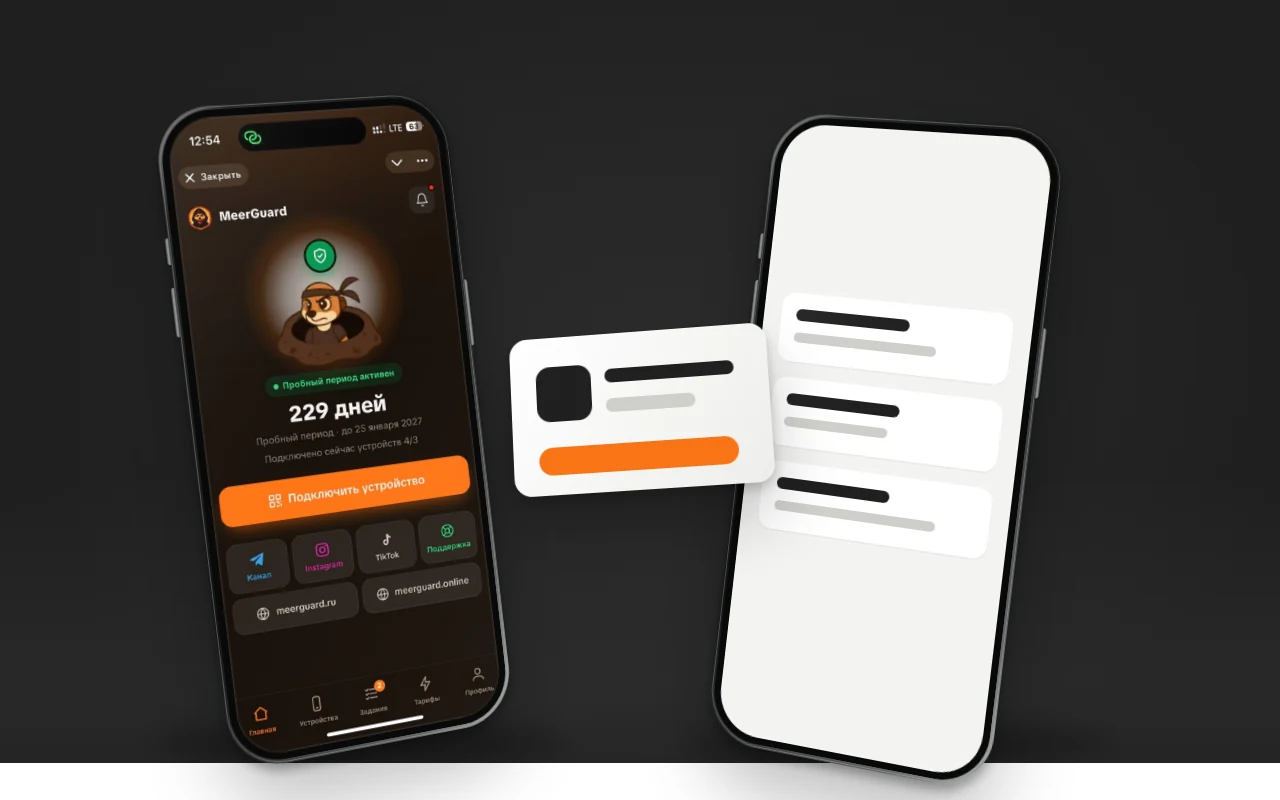
Your Own App or Happ: What to Give VPN Service Customers
Happ is free and installs in a minute, but it keeps getting pulled from the Russian App Store. Your own app can take months to pass review. What to give subscribers, and when.

App Promotion with No Ad Budget: ASO Step by Step
How to promote an app in the App Store and Google Play without ads: where to find keywords for free, what to put in the three fields, and why you need to get it done before release.
How Much Does Mobile App Development Cost and What Goes Into the Price
We break the cost of an app into three parts: the work itself, everything that wraps around the release, and the price of a mistake in review. With an open price list and the items that usually don't make it into an estimate.