Your Own App or Happ: What to Give VPN Service Customers
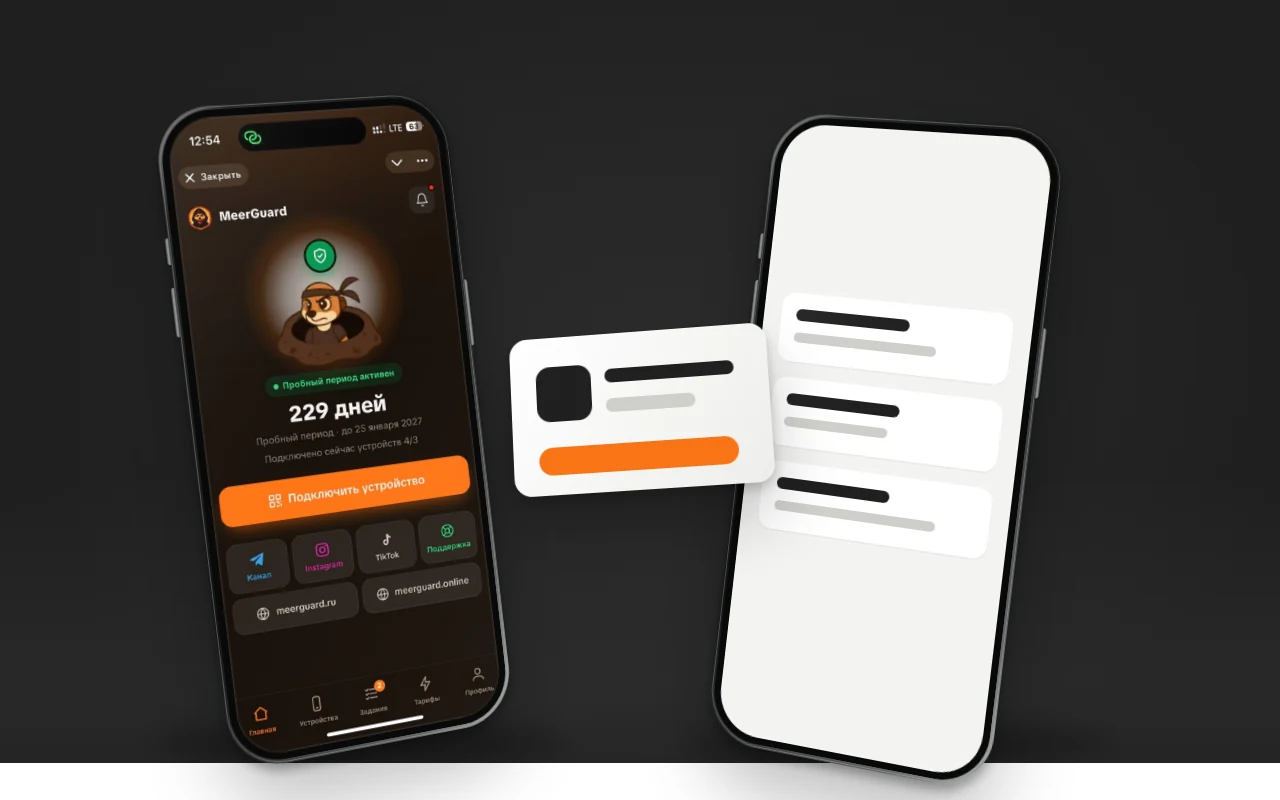
Your own app or Happ is the first decision a VPN service owner makes, and in our calculator they're two separate line items: "Proxy client" and "App." Happ is free, installs in a minute, and does everything a subscriber needs. Your own app costs money and months of review. Below you'll find a timeline of Happ's removals from the Russian App Store, Apple's rules for VPN apps, what people choose in the calculator, and what a running service gives its subscribers.
The short answer
At launch, hand out Happ and a subscription link: it's free and works on all platforms. Your own app makes sense once you have hundreds of subscribers and every Happ removal from the store turns into a wave of support requests. Between those two points, most services run both options at once, and so does the service in the example below.
| Stage | iPhone and Mac | Android | Windows |
|---|---|---|---|
| Demand validation | Happ | Happ | Happ |
| Hundreds of subscribers | Happ plus a guide in case it's removed | Your own app in the store and an APK, with Happ as a backup | Your own app, with Happ as a backup |
| Thousands of subscribers | Your own app if you have an organization account and a quarter for review | Same | Same |
What Happ is and why almost everyone hands it out
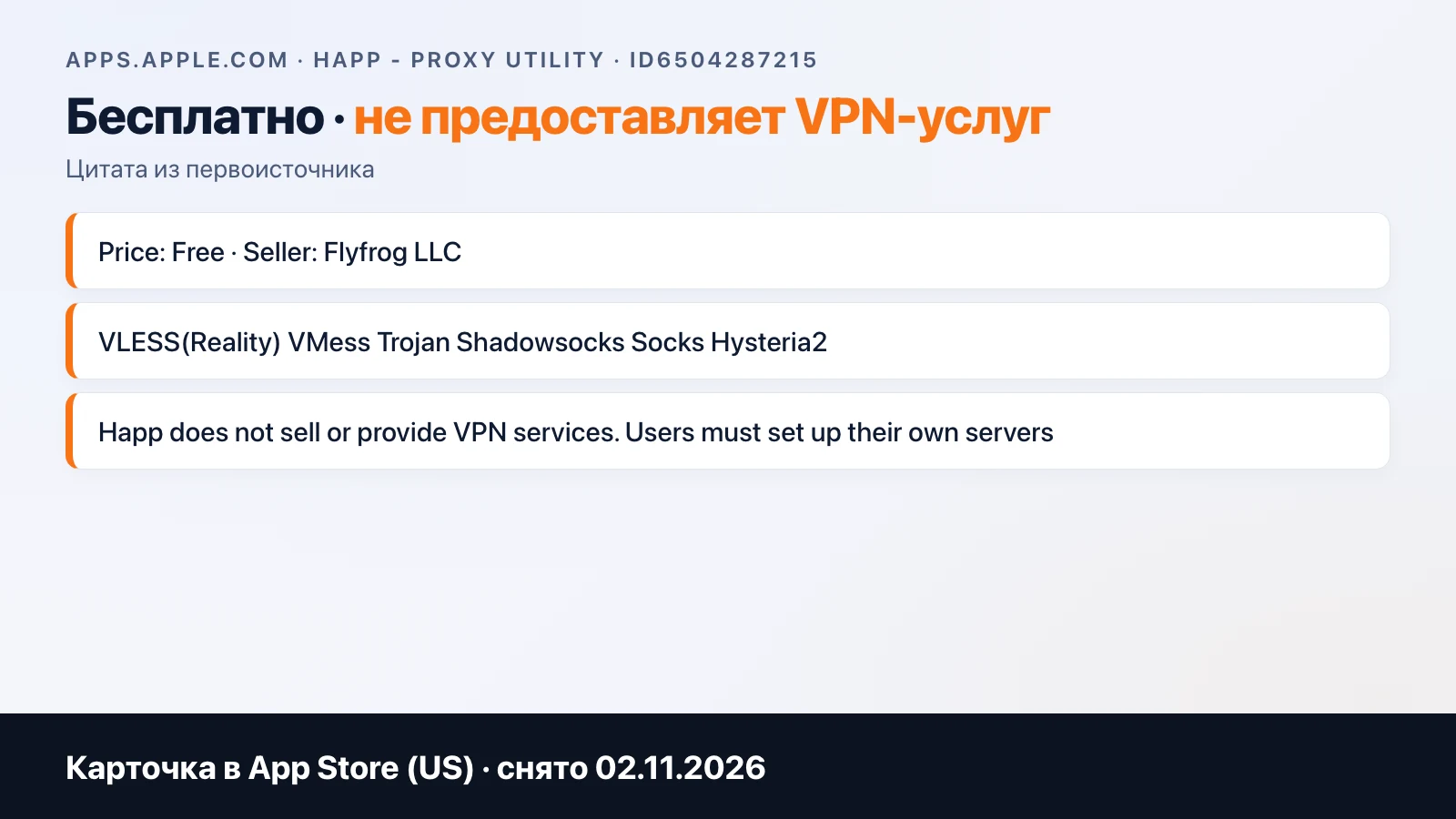
Happ — Proxy Utility is a free client that doesn't connect anything on its own: the App Store description states outright that it "does not sell or provide VPN services," and users configure their own servers. There are versions for iOS, macOS, Windows, Linux, Android, Android TV, and Apple TV. Protocols: VLESS with Reality, VMess, Trojan, Shadowsocks, Socks, Hysteria2. You can add a config via link, QR code, clipboard, or subscription.
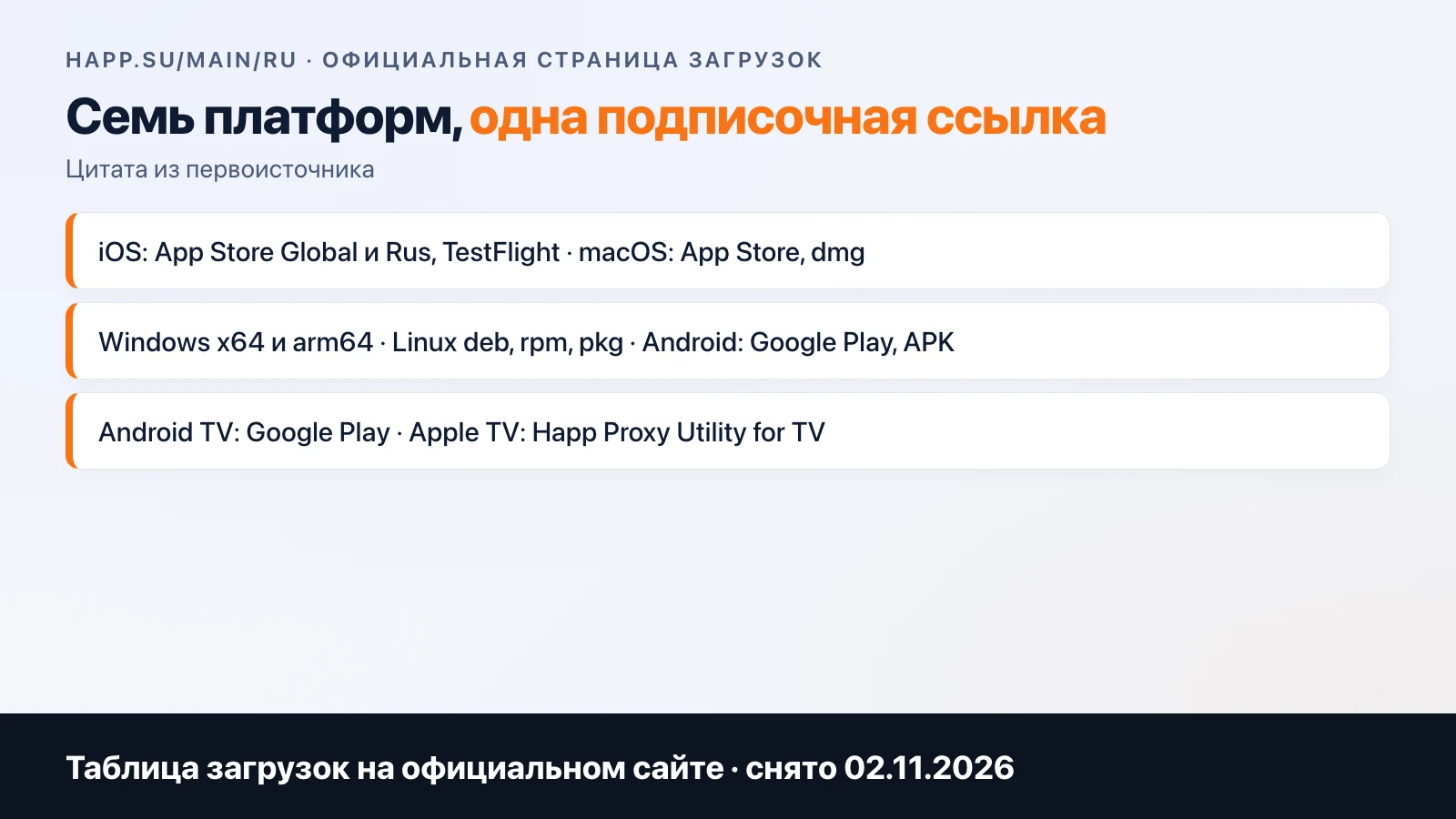
For a service, this is the ideal setup: the bot hands out a subscription link, the user pastes it into Happ, and after that the servers update on their own. No development, no review, no organization account. That's how almost everyone who writes to us after the calculator gets started.
If you were looking for "servers for Happ" or free keys, you're in the wrong place: this is about a service that hands out those keys itself.
Why Happ is risky for a service: a timeline of removals
There's one weak spot, and it isn't in the app.
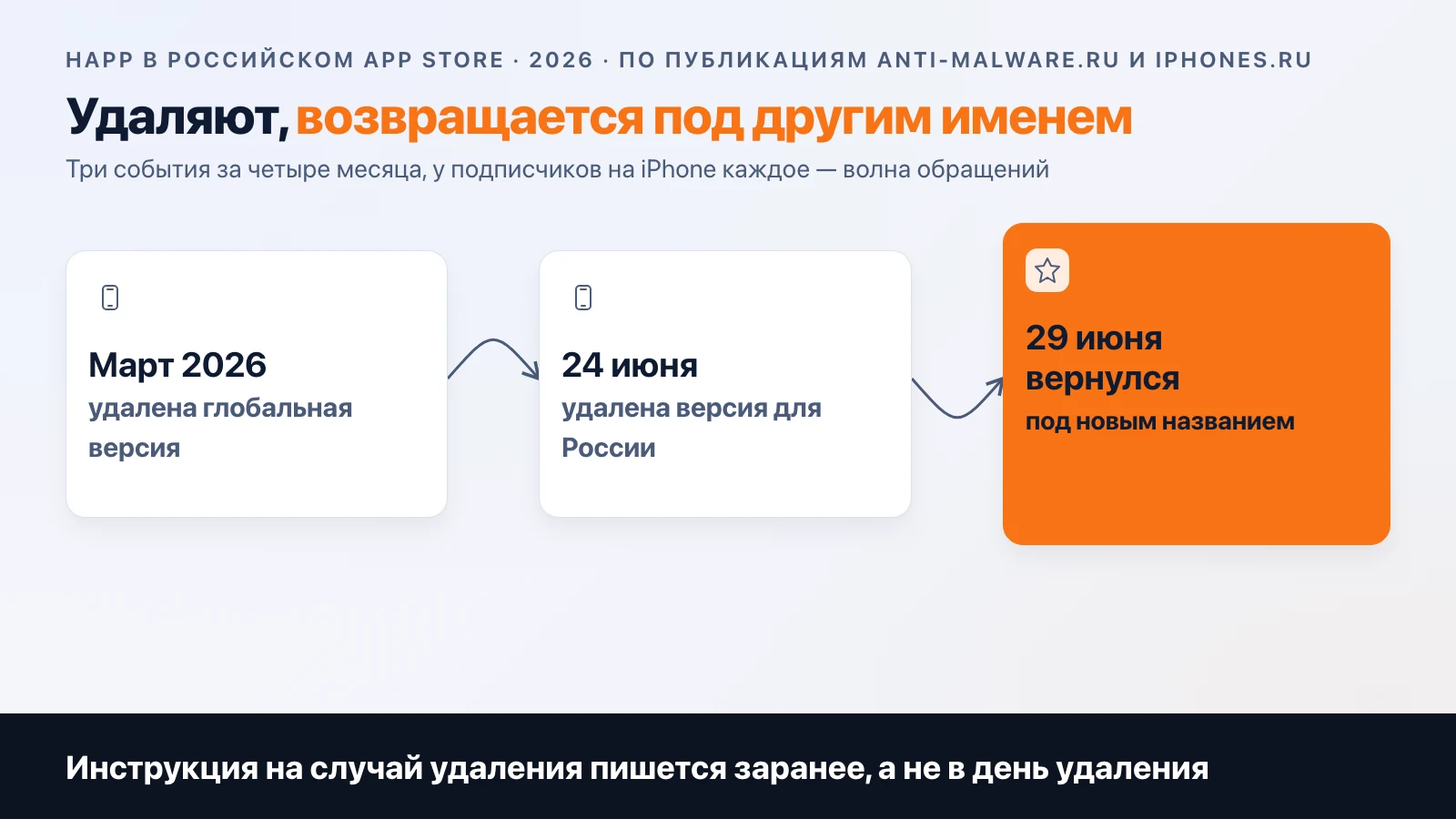
In March 2026, the global version of Happ disappeared from the Russian App Store; iphones.ru reported it. On June 24, 2026, Apple also removed the version for Russia, Happ — Proxy Utility Plus; anti-malware.ru reported that same day that the developers promised to release the client under a different name. On June 29, the same outlet wrote that the app had returned to the Russian store under a new name, and that the removal came at Roskomnadzor's request. The new name isn't given in the reports, so we don't name it either.
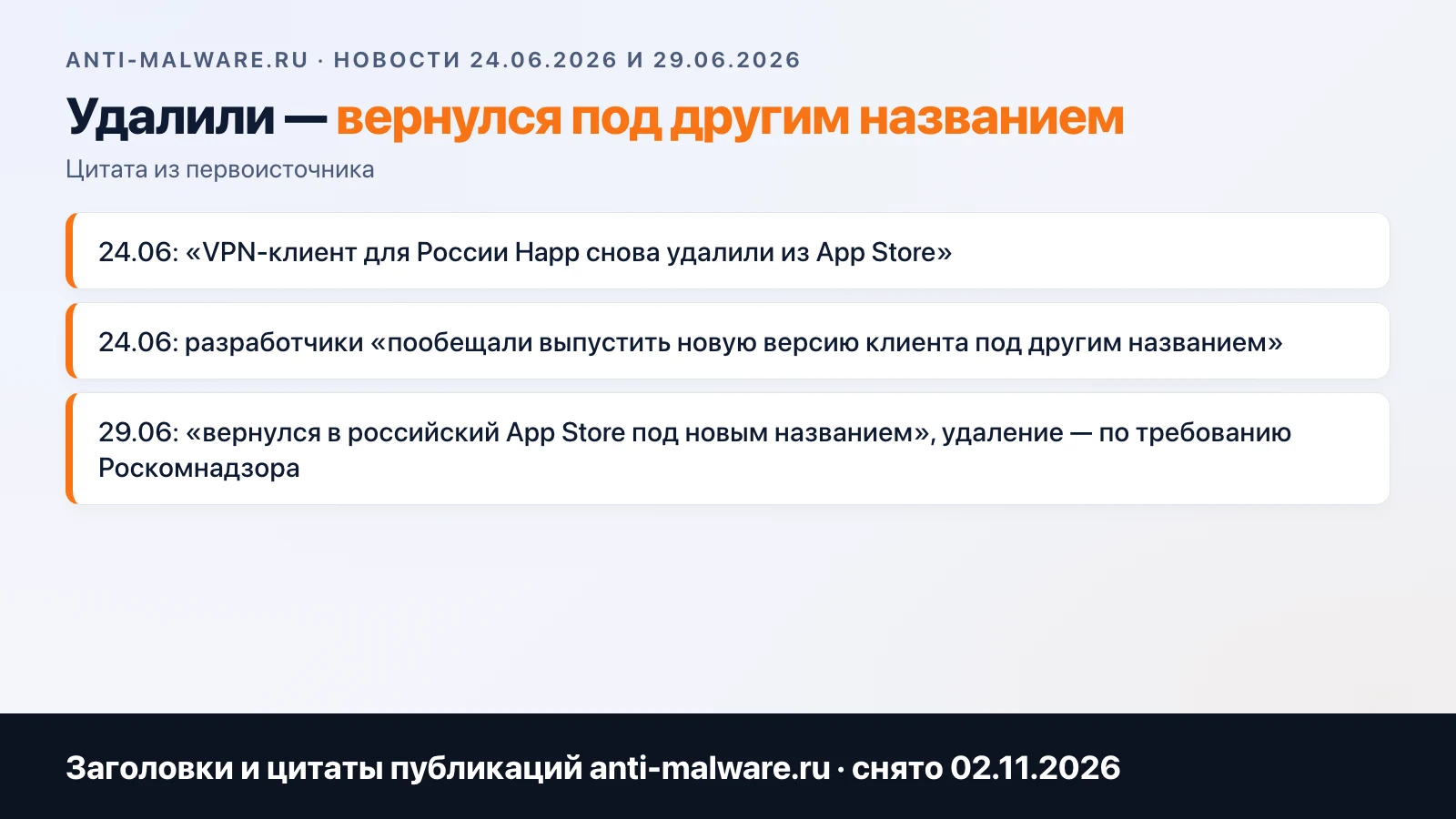
What this means for a service. For those who already installed the app, it keeps working: removal from the store doesn't delete it from the phone. The problem is with new iPhone subscribers: on the day of removal, the "install Happ" instruction stops working, and everyone who bought a subscription that day ends up in support. On Android, this plays out more gently: there's the APK and Google Play, where things are different.
That leads to a simple rule: a service built on Happ should keep a second guide with a backup client in its bot in advance. Writing it on the day of removal is too late.
Your own app: Apple's rules and months of review
Your own app removes the dependency on someone else's client and gives you what Happ doesn't: your own onboarding, paywall, notifications, and analytics. The price is Apple's rules and review.
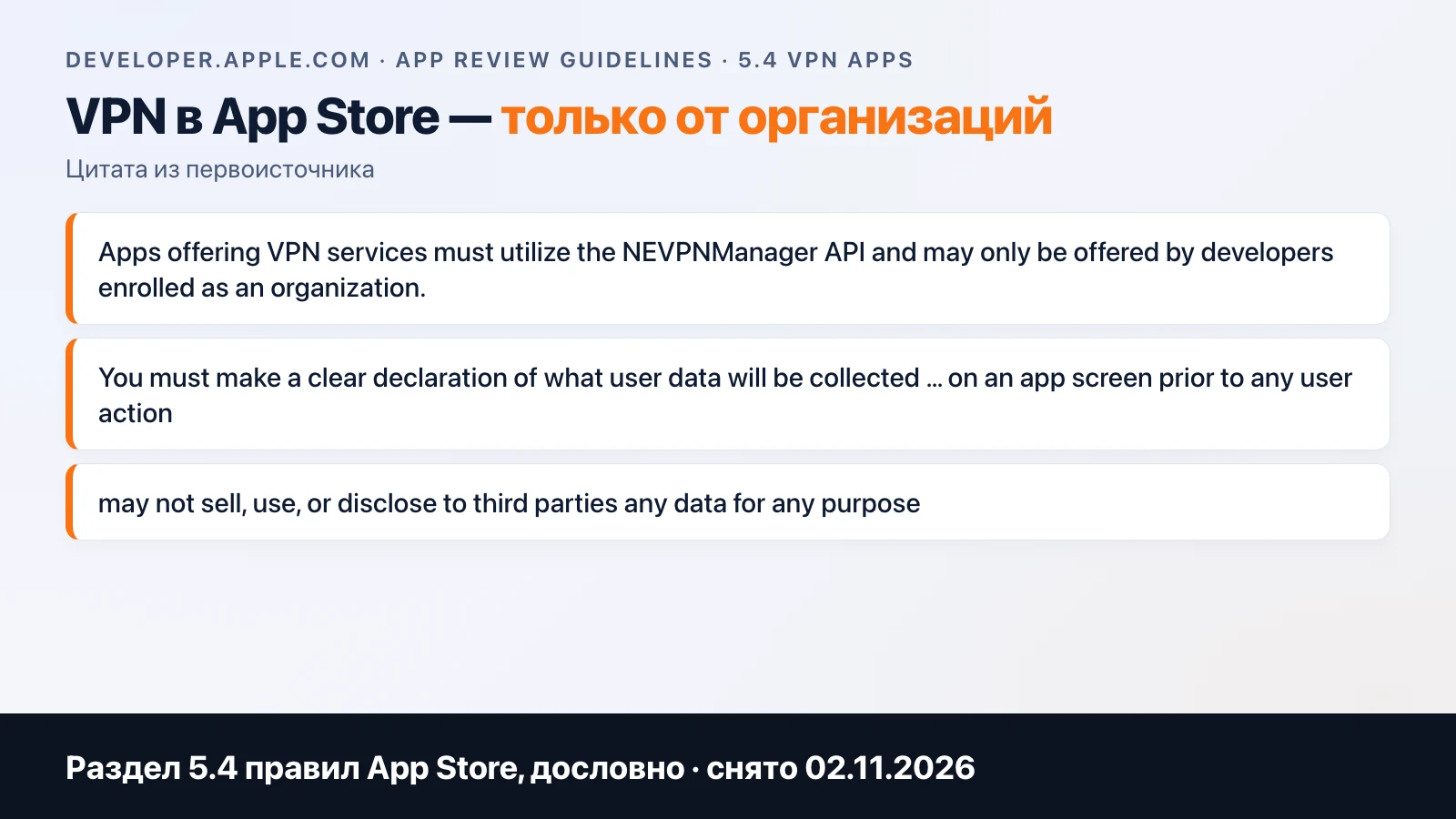
Rule 5.4 of the App Store Review Guidelines, verbatim: VPN apps "must utilize the NEVPNManager API and may only be offered by developers enrolled as an organization." Plus a data collection declaration on the screen before purchase or use and a ban on selling data to third parties. An individual account is off the table right away; you need an organization with a D-U-N-S number. We have a section on this in the article "Your own VPN service".
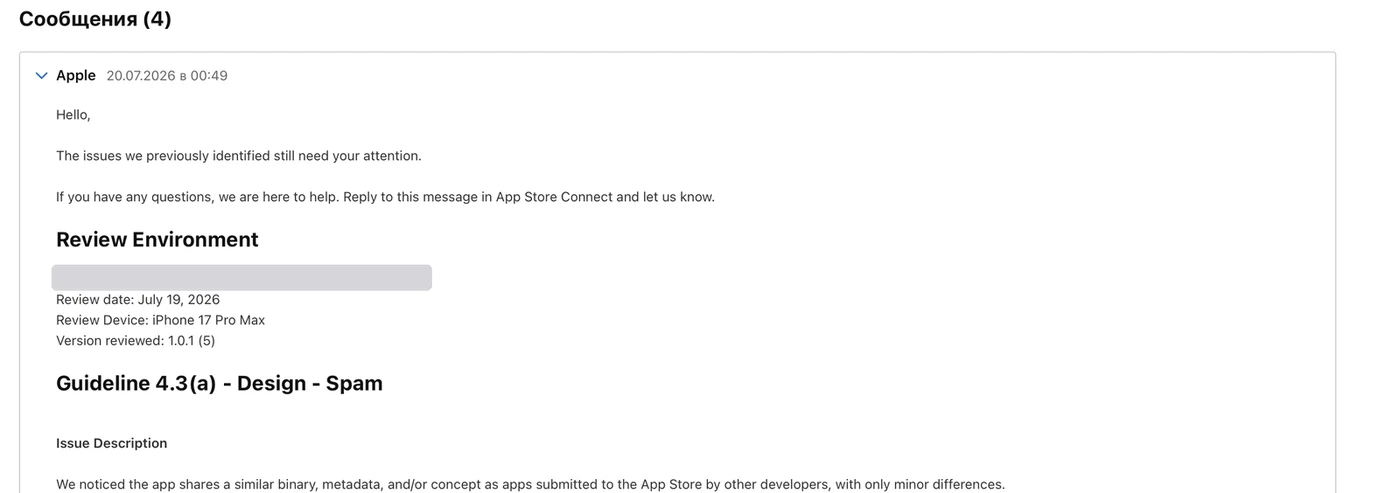
Then comes review. There are plenty of VPN clients in the App Store, and they look alike, so new ones often get rejected under guideline 4.3 Design: Spam for being too similar to other apps. One of our apps went through four review attempts between January and May 2026. Here's a letter for another client, July 2026: the same guideline 4.3(a), with the wording "shares a similar binary, metadata, and/or concept."
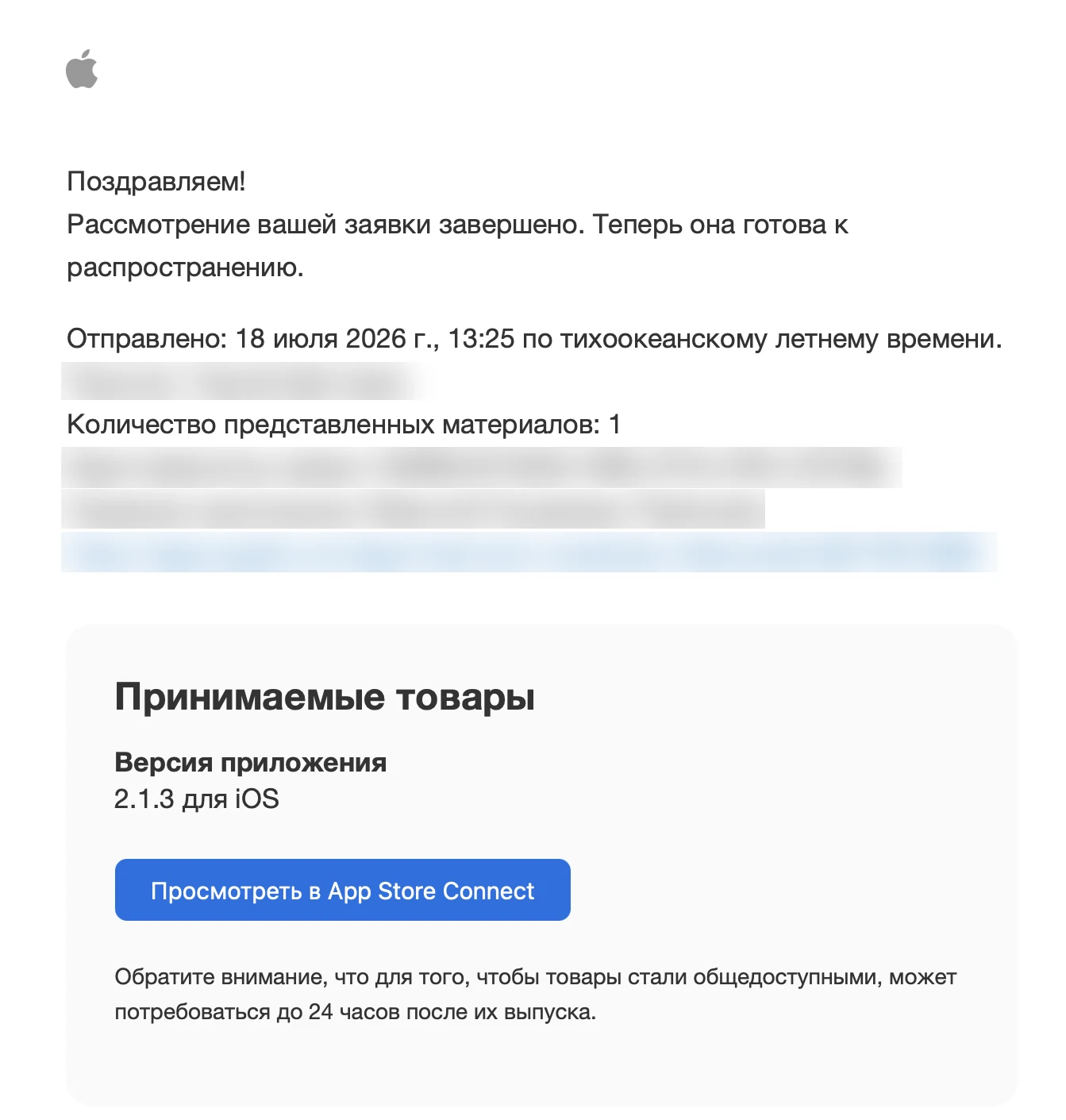
Can you get through it? Yes. The approval letter below is for one of the VPN clients, dated July 18, 2026, with the name blurred out. What gets you through changes from month to month, and what worked in the spring may not work in the summer. We don't advise anyone to plan an iOS release sooner than a quarter after the first submission.
What a live service delivers: the platform breakdown
As of October 22, 2026, a live service with hundreds of people online hands subscribers the following.
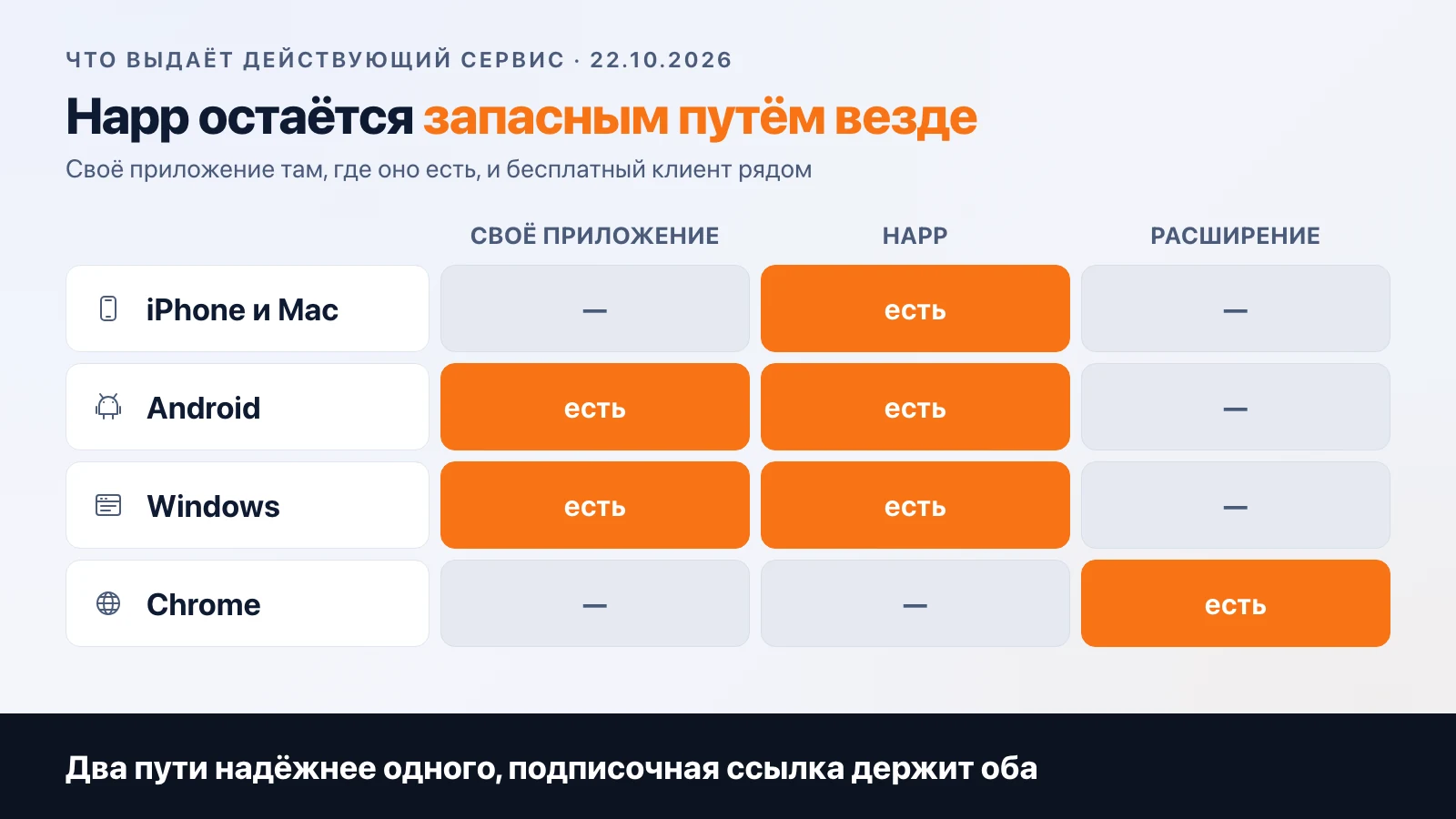
- iPhone and Mac — Happ only. The service has no app of its own for iOS.
- Android — its own app in the store and an APK in case the store is unavailable in the country, plus Happ.
- Windows — its own app and Happ.
- Chrome — its own extension, and it works without registration.
The breakdown is honest, and it makes the main point clear: even a service with hundreds of people online at once and its own apps on two platforms keeps Happ as a fallback everywhere. Its own app is no worse here. It's just that two paths are more reliable than one, and a subscription link lets you keep both without extra work.
What people pick in the calculator
In September and October 2026, in the VPN service calculator, the "iOS app" line was selected in 24% of calculations, "iOS proxy client" in 21%, "Android app" in 21%, "Android proxy client" in 9%. Developer accounts — in 21%.
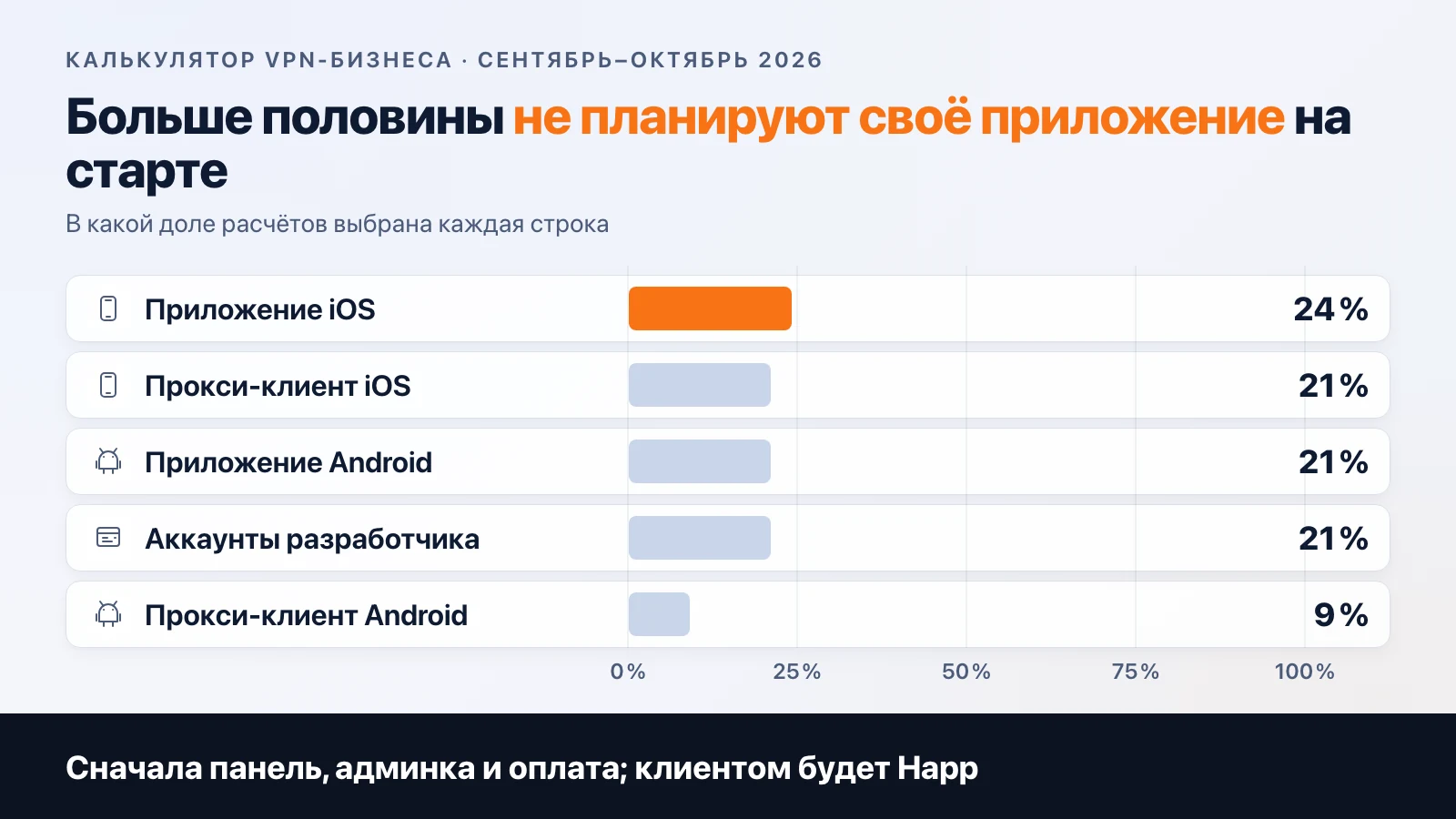
In other words, more than half of the people who come in aren't planning their own app at launch at all: they're pricing out the panel, the admin panel, and payments, and Happ will be the client. That's the right order. An app is an expense that pays off on an audience, and an audience is easier to build on a free client.
The difference between a "proxy client" and an "app" in the calculator isn't accidental either. A proxy client is the Xray core, subscription configs, and publishing in the store: your own wrapper around what Happ does. An app adds onboarding, a paywall, notifications, and interface control from the backend. The second is more expensive and more necessary once you already have someone to retain.
How to combine them: the subscription link as the common denominator
Whichever you choose, the backend should issue a subscription link rather than a set of keys. Happ, your own app, and any other client all understand it the same way, and it lets you change servers without touching users. The next time Happ is pulled from the store, you'll change the instructions in the bot, not the keys for a thousand people. When your own app passes review, you'll add it as another way to connect, not as a new system.
That's the answer to the question in the headline. Your own app or Happ comes down to order: Happ and a link first, then your own app where it pays off, and Happ stays as the fallback.
FAQ
Can I launch a service on Happ alone? Yes, that's how almost everyone starts. There's one risk: Happ periodically disappears from the Russian App Store.
What should iPhone subscribers do when Happ is removed? In June 2026 the app came back a few days later under a different name; for those who already had it installed, it kept working. Instructions for that case should be in the bot in advance.
Can an individual release a VPN app? No. Rule 5.4: organizations only, and only through NEVPNManager.
How long does review take? One of our clients went from January to May 2026. Don't plan for less than a quarter.
What do Happ and your own app have in common? The subscription link. The backend issues it, and the client can be swapped.
In the calculator, the proxy client and the app are separate lines, and developer accounts are listed separately. You can price out both options side by side in a minute.
Frequently asked
Can you launch a VPN service on Happ alone?
Yes, that's how almost everyone starts: the bot issues a subscription link and the user installs Happ. There's one risk: Happ periodically disappears from the Russian App Store.
What should iPhone subscribers do when Happ is removed?
In June 2026 the app came back to the store under a different name a few days later, and it kept working for everyone who already had it installed. The instructions for that scenario should be waiting in the bot in advance.
Can an individual publish a VPN app on the App Store?
No. Under rule 5.4, VPN apps can only be published by developers registered as an organization, and only through NEVPNManager.
How long does VPN app review take?
One of our clients was in review from January through May 2026, with several attempts rejected under guideline 4.3. It can be faster, but you can't plan for less than a quarter.
What do Happ and your own app have in common?
The subscription link. As long as the backend issues it, you can swap the client without touching your users.
Related articles
Your own VPN service: how to build it and what you need to launch
How to build your own VPN service to sell: the client, configs, a backend with payments, support. Why stock configs don't survive in Russia, and what the App Store requires.
VPN Server Hardware: Which VPS to Pick and How Much It Can Handle
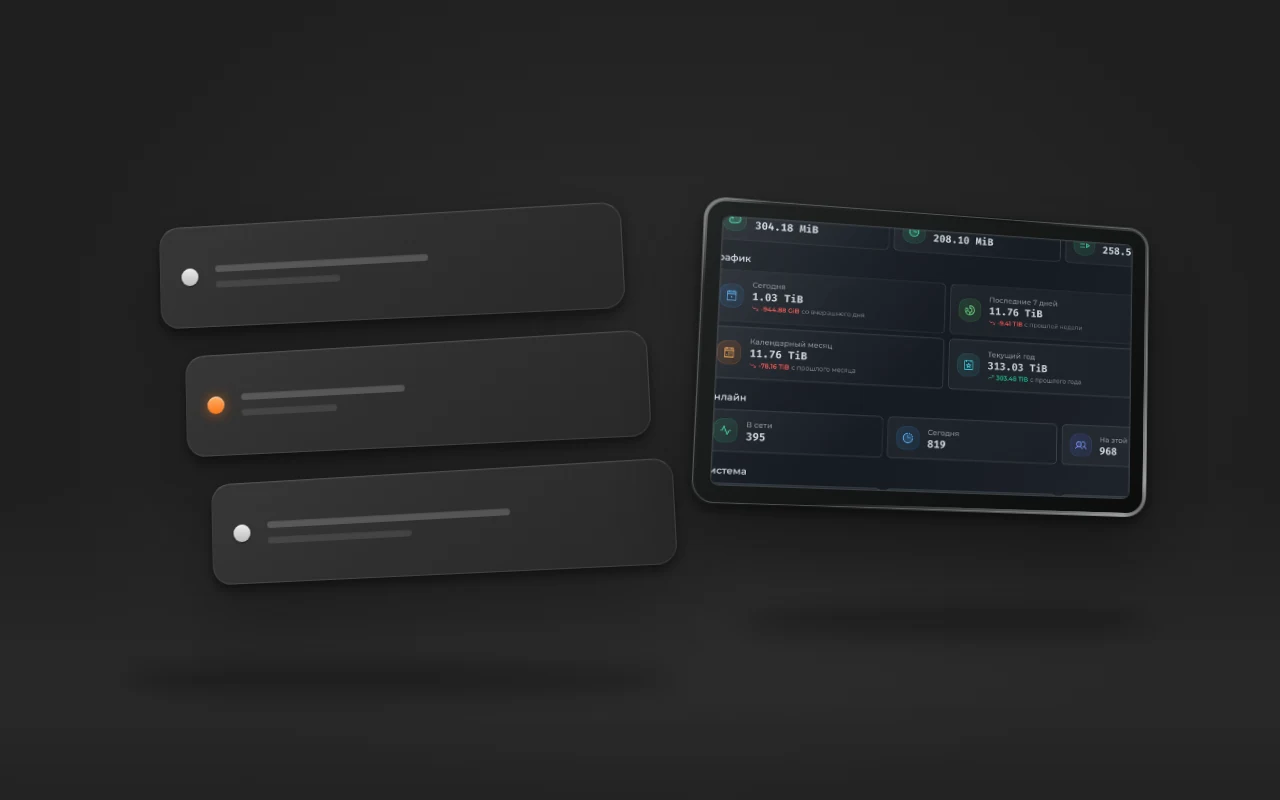
What kind of VPS a subscription-based VPN service needs: bandwidth, traffic limits, CPU. Real numbers from a live service: 79 TiB per month, 395 users online, and what hits its limit first.

I've Been Rejected from the App Store 6 Times. Here's What I Learned About the VPN Category
Six App Store rejections for VPN apps. Which guidelines get triggered, what Apple does with a shield icon and the word VPN in the app name, and what helps you get through review.