Cross-Platform Development: KMP, Flutter or React Native
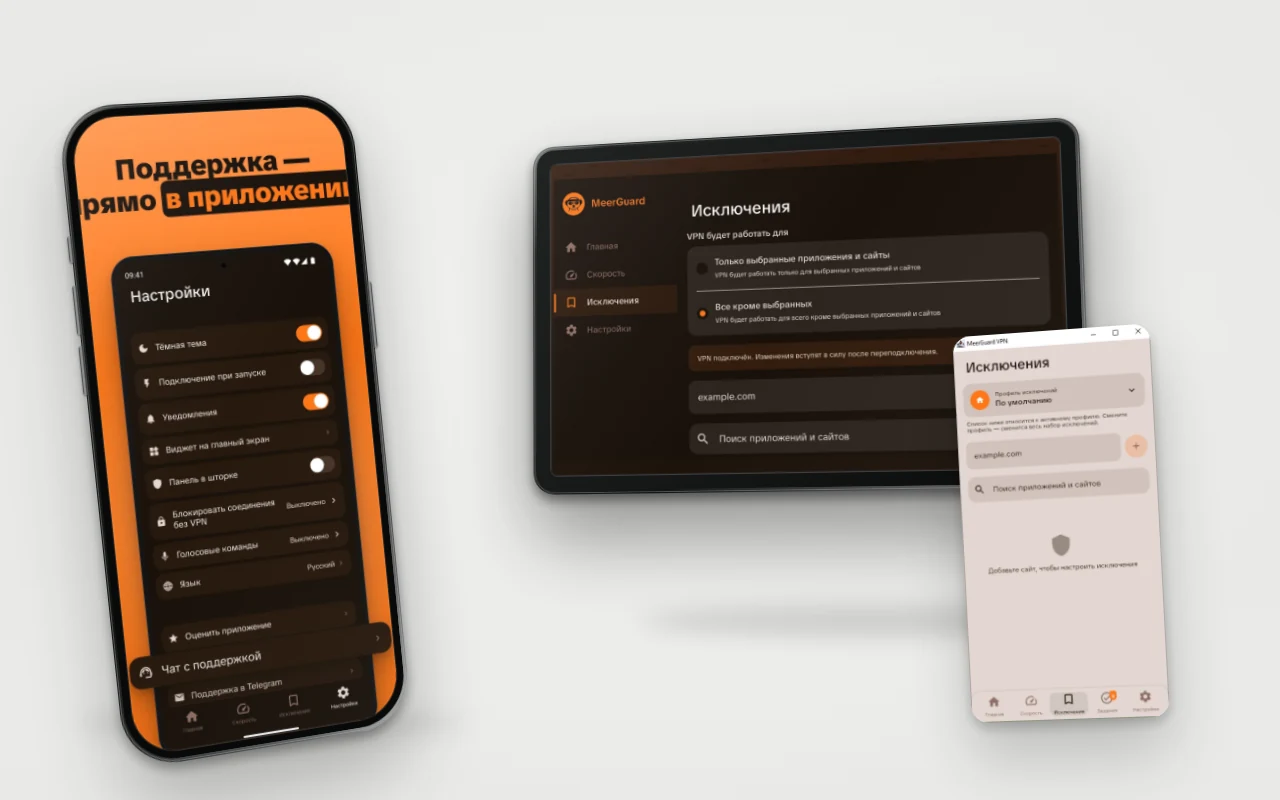
Cross-platform development means one project and shared code for iOS, Android and sometimes desktop. The approaches differ in how much of the code is shared. The three main ones in 2026 are Kotlin Multiplatform (KMP), Flutter and React Native. When a project needs shared code, we more often take KMP. Below is why, what the official sites say, and when Flutter or React Native makes more sense.
Short answer
Kotlin Multiplatform shares logic and, optionally, the interface (Compose Multiplatform). Flutter draws the interface itself, in Dart. React Native builds the screen from native components, in JavaScript. We more often take KMP: 8 portfolio projects use it; AI Aggregator moved from KMP to React Native. Teams without Kotlin should consider Flutter or React Native.
Three approaches in one table
All facts below come from official sites, checked on 10 November 2026.
| Kotlin Multiplatform | Flutter | React Native | |
|---|---|---|---|
| Language | Kotlin | Dart | JavaScript (React) |
| Who is behind it | Kotlin is developed by JetBrains; Google on developer.android.com calls KMP officially supported for sharing Android and iOS logic | Google (according to flutter.dev) | Meta since 2015, plus the community: contributors include Callstack, Expo, Microsoft and others |
| What is shared | Logic. The interface is shared if you use Compose Multiplatform, or is separate on each platform | Interface and logic | Interface and logic, with native components on screen |
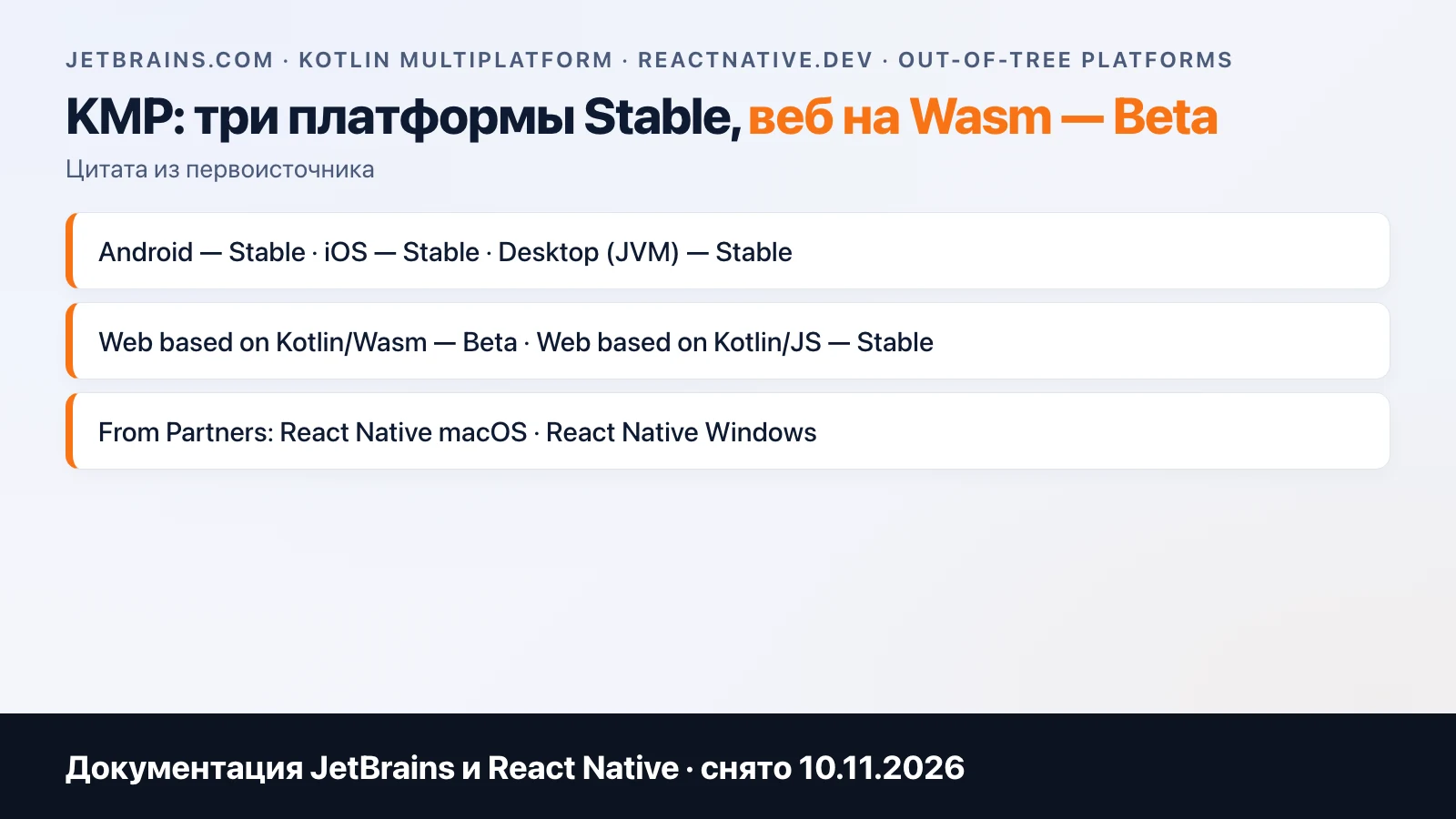
| Status | Stable for Android, iOS and JVM desktop; Kotlin/JS Stable; Wasm Beta | Platforms in the documentation table: Android, iOS, web, Windows, macOS, Linux | "Android, iOS and more"; Windows and macOS come from partners, web is a community project |
| Compose Multiplatform | Android, iOS, desktop Stable; web Beta | — | — |
Android TV is not listed in Flutter's table of supported platforms. For KMP and Compose we checked it in practice: MeerGuard is built that way. We do not compare performance here: we have no measurements of our own, and other people's depend on versions.
What is in our portfolio
These numbers come from the public portfolio, 34 projects, as of 10 November 2026.
| Stack | Projects |
|---|---|
| Kotlin Multiplatform or Compose Multiplatform | 8 |
| React Native (Expo) | 1 (AI Aggregator: v1 on Kotlin Multiplatform, v2 on React Native with App Store subscriptions); it is also counted in the KMP row |
| Flutter | 0 |
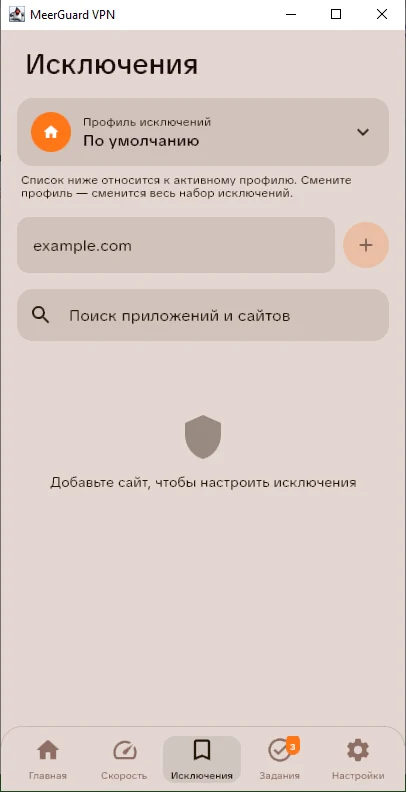
We do not name the reason AI Aggregator moved from v1 to v2: the project card does not give one. The remaining projects are native SwiftUI and Kotlin with Compose pairs, pure Android, web and Telegram Mini Apps. In several KMP projects the iOS interface stays on SwiftUI and only the logic is shared. In MeerGuard the interface is shared: Android, Android TV and Windows are built from one codebase on Kotlin Multiplatform and Compose Multiplatform, while its iOS app is separate, on SwiftUI.
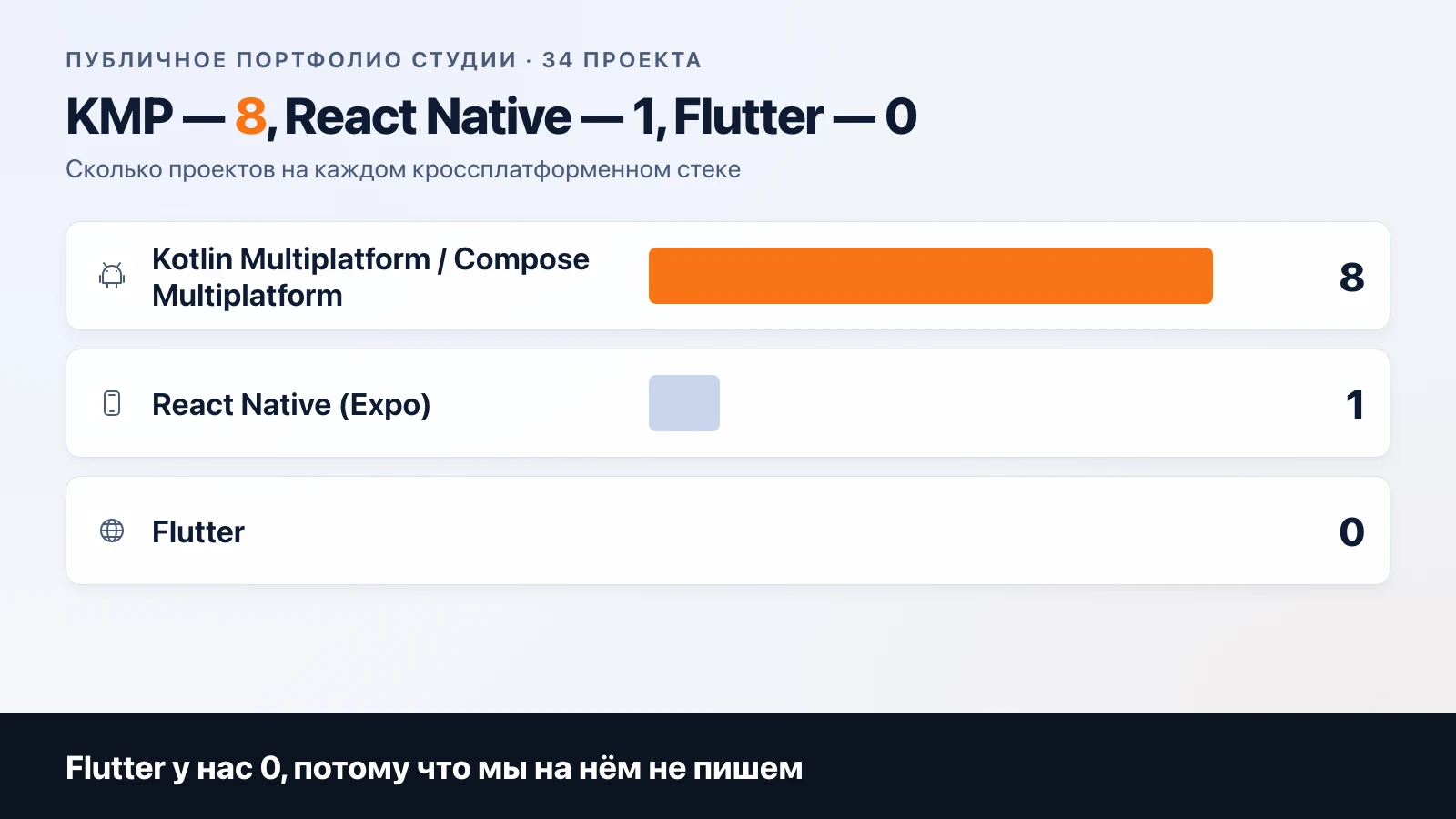
A fair caveat: we have 0 Flutter projects because we do not write in it. Our view of it comes from the documentation, not from our own projects. And 34 projects are a sample of our own orders; they say nothing about the market.
Why we more often take KMP
The reasons can be checked.
System features stay native, and this is true of all three. A VPN tunnel, Apple Wallet, widgets, Bluetooth devices and Modbus over RS-485 cannot be built entirely from shared code: each platform has its own API. Flutter has platform channels for this, React Native has native modules. KMP differs in one respect: native Android code is written in the same Kotlin as the shared code.
You can share as much as you need. In some projects we share only the logic and keep SwiftUI on the iPhone; in others we use Compose Multiplatform and get one interface.
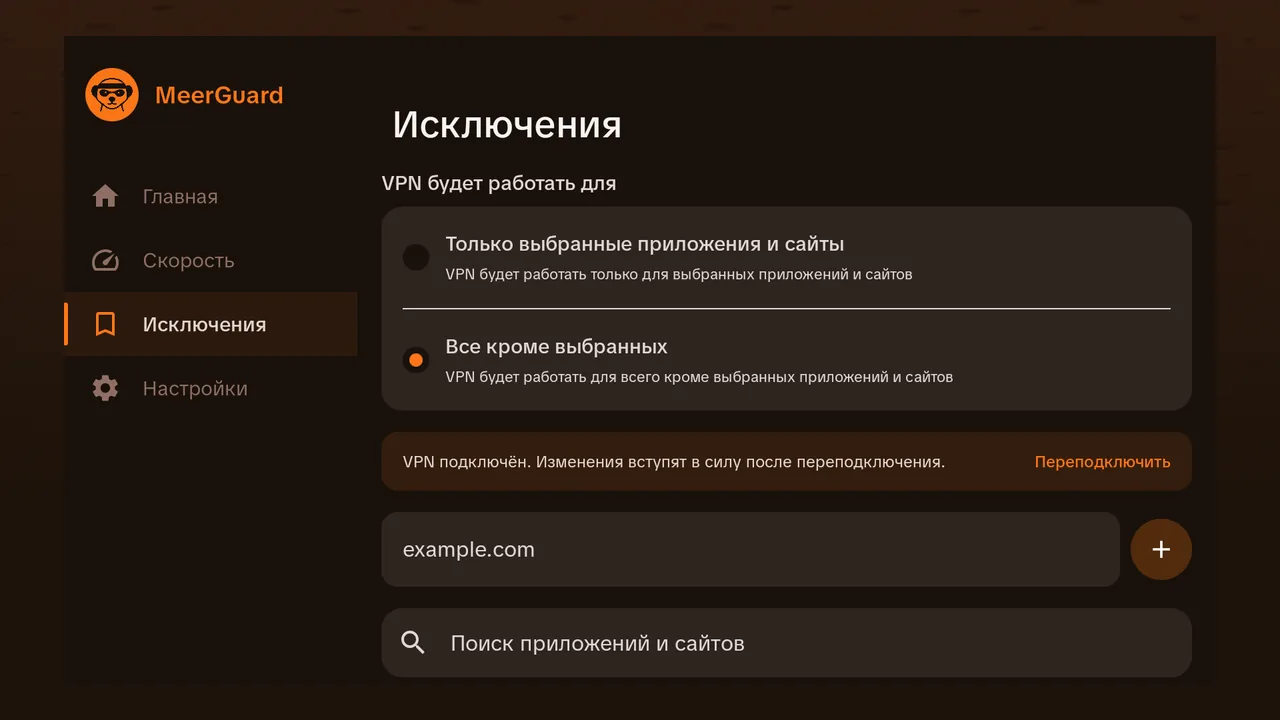
One codebase gave three platforms. MeerGuard: phone, Android TV, Windows. The main screens are shared, with fewer tabs on TV; the screenshots below show the "Exclusions" screen on Windows and Android TV. The TV version was designed separately but not rewritten from scratch.
Kotlin is the native language of Android. For Android phone apps we already have purely native projects. Shared code in the same language does not require a second stack on the team.
When Flutter or React Native makes more sense
If your team writes in JavaScript and React, React Native lets you avoid adding a second language: a web developer stays in a familiar stack. This is the main argument for a company that already has a web product and a mobile version coming.
If you need an interface that is identical to the pixel on iOS and Android, Flutter draws it itself, without system components. The Flutter documentation lists both web and desktop among its platforms.
If the app is simple and has no system features (a catalog, a form, a personal account), any of the three will cope. Then something else decides: who will maintain the code in two years. Kotlin, Dart and JavaScript live in different teams: take the language your team already writes.
When KMP will not fit: you need a web interface on the same code in production (web on Compose is Beta per the JetBrains documentation as of 10 November 2026), or your team has never written Kotlin and does not plan to.
Flutter or React Native, compared with each other
If you have already ruled out KMP among the three options, two remain. According to the documentation, they differ in what draws the screen. Flutter takes over rendering and is written in Dart. React Native, in JavaScript, assembles the screen from platform components, and Meta has maintained it since 2015. Their communities differ: for React Native, the official site lists Callstack, Expo, Microsoft and Software Mansion among contributors, while Flutter's main backer is Google.
If you have React people on staff or on contract, take React Native: nobody needs retraining. If you have no team and are building one from scratch, the language is not an argument, and then the system features from the first question below decide. The more native things you need, the more you have to write in Kotlin and Swift on top of either framework. Such projects are worth treating as hybrids from the start.
What stays the same whichever you choose
Cross-platform development does not remove some of the work at all. Design that follows each platform's rules, the server, testing on real devices, developer accounts (Apple charges 99 dollars a year, Google 25 dollars once, per the official pages as of 10 November 2026) and passing store review. Each store has its own rules, and no framework gets around them: details on each are in the articles about iOS and App Store rejections. So "one codebase instead of two" saves part of the budget. How much exactly depends on the share of screens and logic that are really shared in your case.
From this comes practical advice when choosing a contractor: ask for the estimate broken down by layer. What is shared (logic, models, network), what is platform-specific (system features, publishing), what is unique to each screen. If the contractor cannot say what share of the code is shared, it is worth asking what the choice of technology was based on.
How to choose in four questions
- Which system features do you need: a tunnel, a wallet pass, background work, Bluetooth? The more of them, the less sense there is in sharing the interface.
- What language does your team write in, or will the contractor who maintains the app write in?
- Do you need TV, desktop or web in addition to two phones?
- Do you need a pixel-identical look on two platforms?
If you do not know the answers, that is fine: they are worked out at the specification stage. How we write it and plan the timeline is described on the development page. The budget for the chosen set of platforms and features is calculated by the calculator, which has an "iOS + Android" option. On individual platforms: iOS and types of mobile apps.
Frequently asked
What is cross-platform mobile development?
One project with shared code for several platforms, for example iOS and Android. Only the logic (network, data, rules) can be shared, or the interface as well. The more is shared, the less code there is, but the harder it gets to reach the platform's system features.
Flutter or React Native: which one to choose?
React Native makes sense if you have a strong JavaScript and React team: the language is the same. Flutter makes sense if you need an identical look on every platform and the team is ready to write Dart. Either works as long as the app needs no system features such as VPN, Apple Wallet or widgets. With them you will have to write native code in both cases: through platform channels in Flutter or native modules in React Native.
Is Kotlin Multiplatform stable?
Yes. According to the JetBrains documentation (checked on 10 November 2026), Kotlin Multiplatform for Android, iOS and JVM desktop has Stable status, and so does Compose Multiplatform for Android, iOS and desktop. The web target on Kotlin/Wasm is Beta. On its Android for Developers page, Google states that it officially supports KMP for sharing business logic between Android and iOS.
Can Android TV and Windows come from one codebase?
With Kotlin Multiplatform and Compose Multiplatform they can. MeerGuard is built that way: Android, Android TV and Windows are built from one project. The TV interface is still designed separately, because it is controlled with a remote and focus.
Is a cross-platform app cheaper than two native ones?
Shared code reduces the work, but design, the server, testing and store publishing remain. The calculator on the site gives an exact estimate for your set of features.
Related articles
AI in a Mobile App: How to Integrate ChatGPT
AI in a mobile app: the API key stays on the server, per-user limits, caching, moderation and a token-based cost estimate. Meerno as the example.
Building an Online Store: Builder, CMS or Custom Development
Building an online store: builder, CMS or custom development. A comparison table, what the price consists of, and when a builder is enough.
VPN Bot in Telegram: What It Should Do in a Service
How to build a VPN bot in Telegram for selling subscriptions: trial access, key delivery, autopayment, devices, referrals, support, panel integration.