Telegram Mini App: What It Is and How to Build One
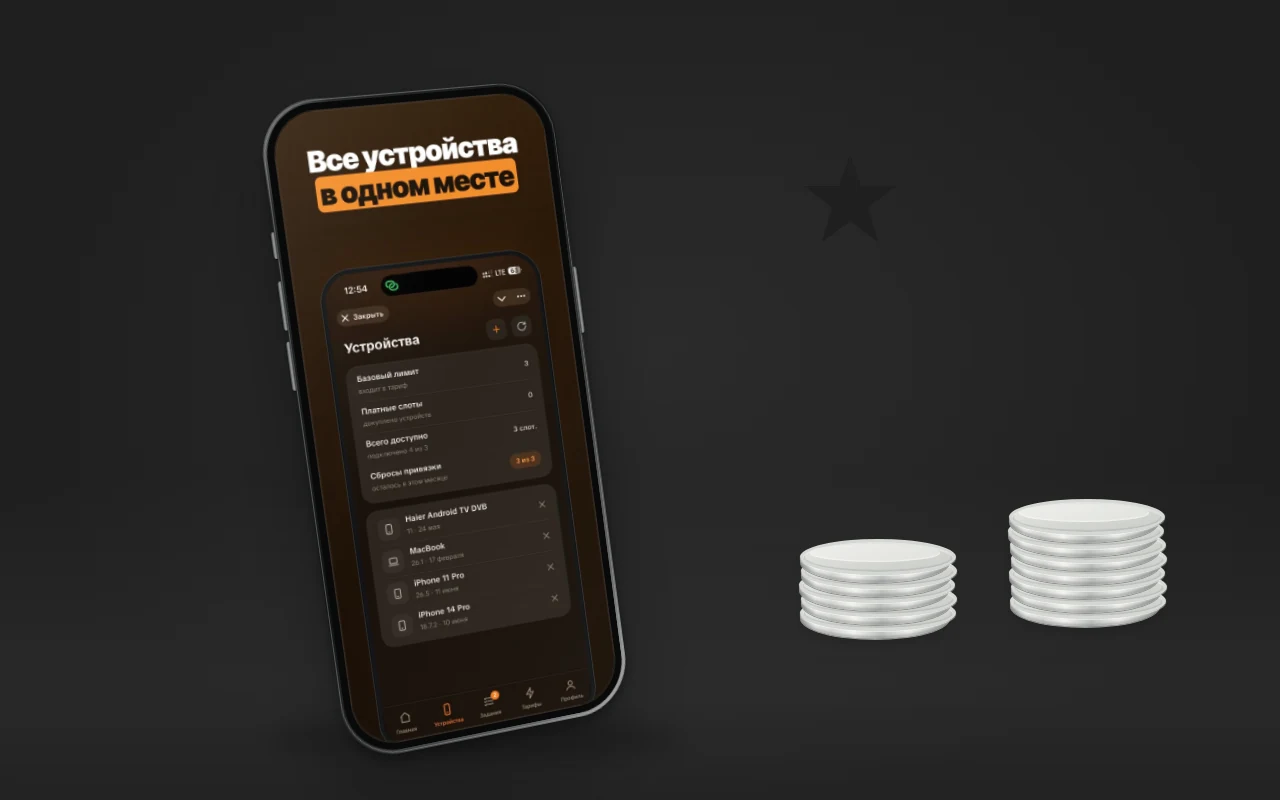
A Telegram Mini App, that is, a mini app in Telegram, is a web app that opens inside the messenger on top of a chat: no installation, sign-in with a Telegram account, and payment in Stars. A business needs it where a bot with buttons is already too cramped: a catalog, booking, a personal account, settings. Below is how a Mini App differs from a bot and from a website, what it can do according to the official documentation, and when you should not build one. Plus what we built ourselves: the MeerGuard Mini App and two client projects from our portfolio.
Short answer
A Mini App is a website inside Telegram, connected to your bot. The user gets in with one tap, no registration: Telegram passes the ID, name, and language, and the server verifies the signature. Digital goods are paid for in Stars. It is built when a bot runs out of screens: the plan, devices, and settings do not fit in one message.
How a Mini App differs from a bot and from a website
A bot communicates in messages. Buttons under them give a nested menu, but not lists, filters, or tabs. A website can have any interface, but you have to bring a person to it, and there they will be asked to sign in. A Mini App opens inside Telegram, so sign-in and contact with the user go through the bot, while the screens are drawn like a website.
| Bot with buttons | Mini App | Website | |
|---|---|---|---|
| Sign-in | automatic, it is a chat | automatic, data from Telegram | login, password, or social networks |
| Interface | messages and buttons under them | any full-screen web page | any web page |
| Notifications | messages from the bot | through the bot | email, push, if set up |
| Where people come from | Telegram | Telegram | search, ads, links |
| Works outside Telegram | no | opens as a page, but without Telegram sign-in and data | yes |
| Installation and store review | not needed | not needed | not needed |
A Mini App gets sign-in and user data only inside Telegram, and it brings people only from there. It will not collect customers from Yandex and Google; for them you need a website.
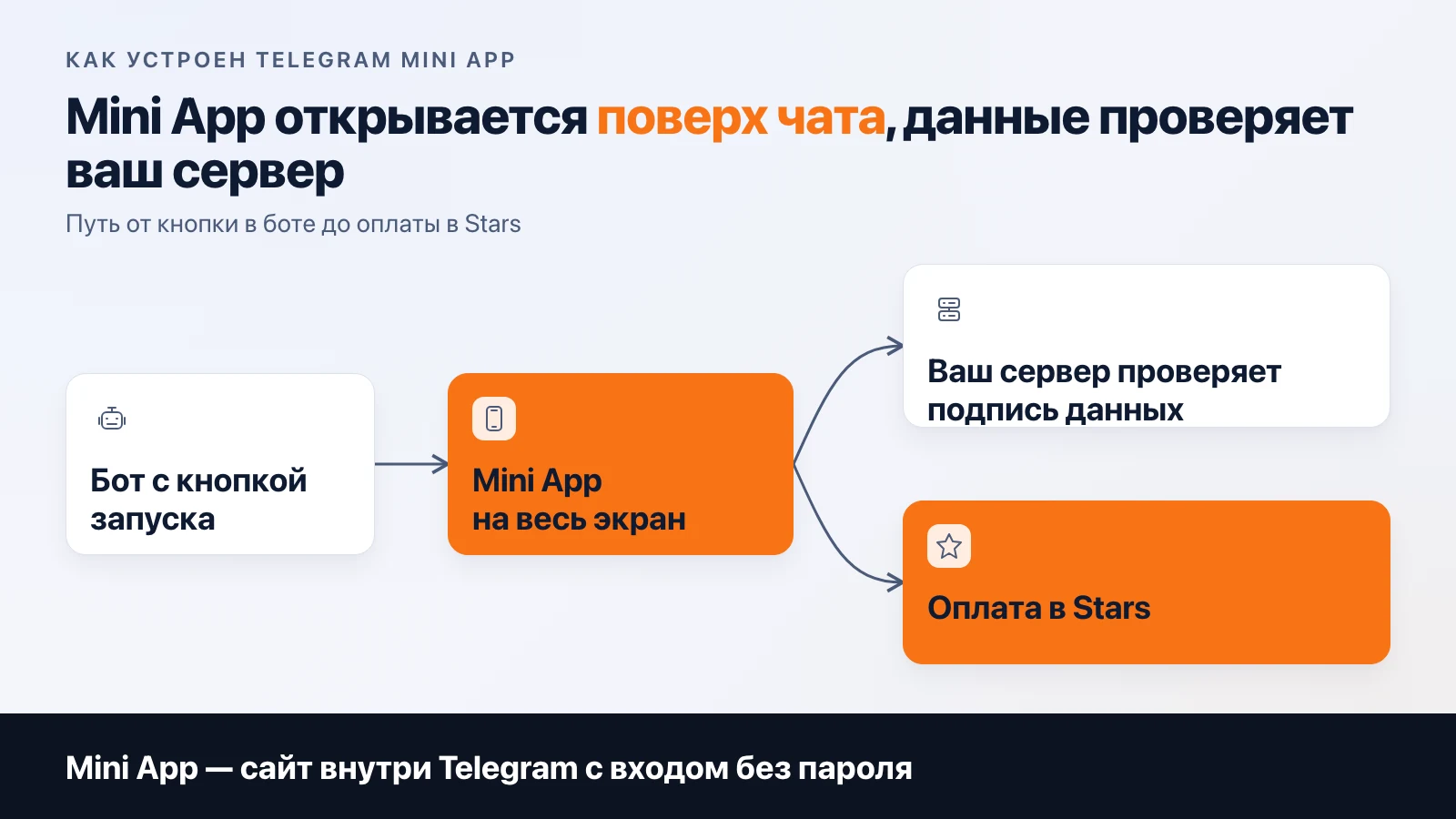
What a Mini App can do according to Telegram's documentation
The list below comes from the documentation page core.telegram.org/bots/webapps, checked on 10 November 2026 (the page's last update is Bot API 10.1 of 11 June 2026).
Launch. The app opens from the chat menu button, a button under a bot message, a keyboard button, a direct link like t.me/bot/app, or the attachment menu.
Sign-in without registration. The app receives an initData string with the user's data. The server checks the signature (HMAC-SHA-256 with a key derived from the bot token) and only then trusts the data. The auth_date field helps reject stale requests. The check cannot be skipped on the server: on the page side this data is easy to forge.
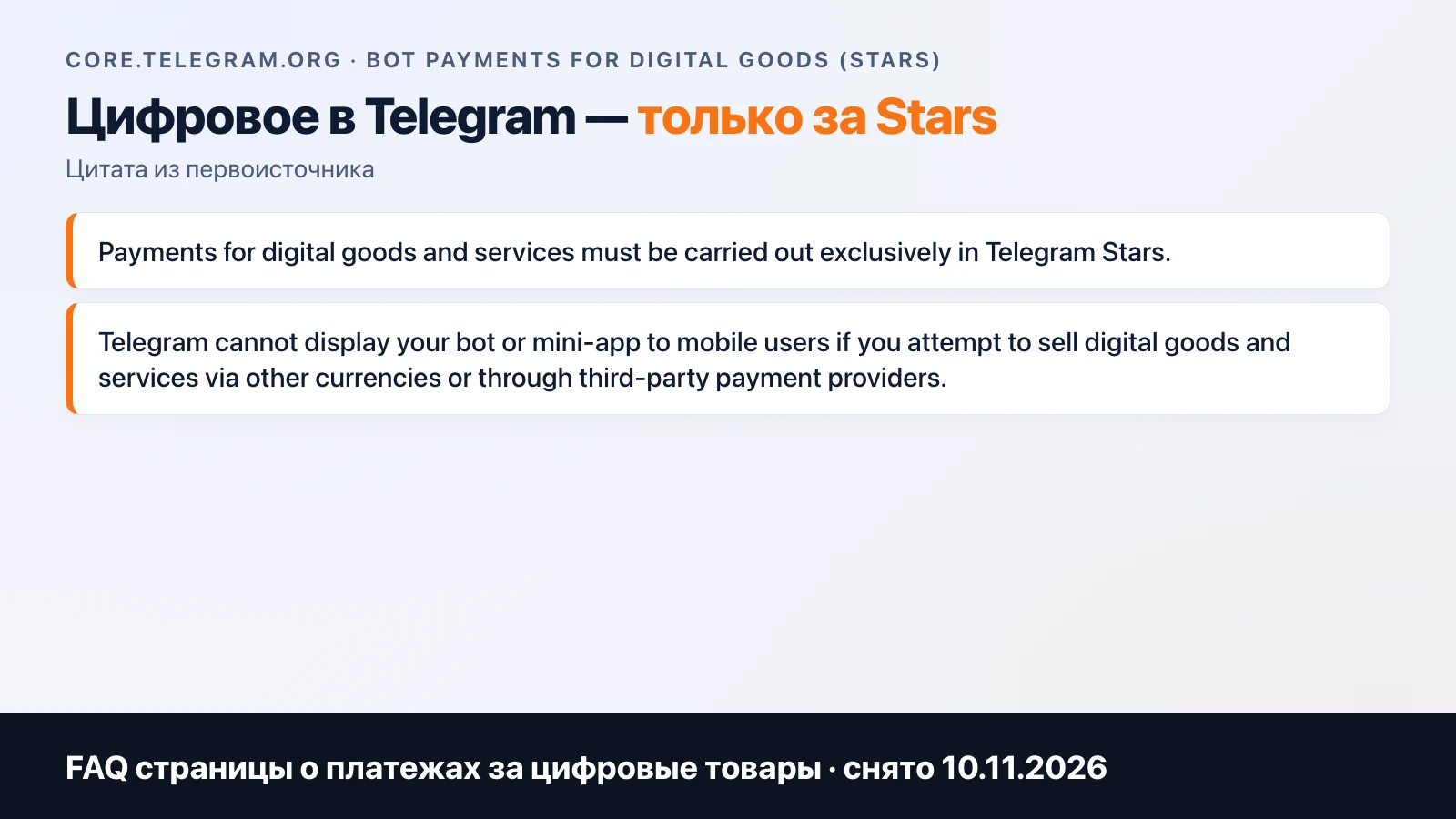
Payment. The openInvoice method opens an invoice, and the invoiceClosed event reports the outcome: paid, cancelled, failed, or pending. The rule about digital goods is written on the page core.telegram.org/bots/payments-stars: digital goods and services are sold only for Stars, otherwise Telegram cannot show the bot or Mini App to mobile users. For physical goods, payment providers remain. How this works in practice we covered in the article about payments in a Telegram bot.
Interface. A main button at the bottom and a Back button, haptic feedback, the app theme picks up Telegram's colors (light and dark), there is a full-screen mode and insets for display cutouts.
Storage: cloud storage per user (up to 1024 keys), local storage (up to 5 MB), and secure storage on Keychain and Keystore (up to 10 entries). Everything else lives on your server.
And also: geolocation with permission, biometrics, a home screen shortcut, sending prepared messages and stories.
How to create a mini app in Telegram
- Create a bot in BotFather: the launch button is set up through it.
- Build a page with the interface over HTTPS. This is an ordinary frontend, and any web stack will do.
- Set up a server that verifies the
initDatasignature and stores orders, users, and settings. - Decide how to take money, if there is any: Stars for digital goods, a provider for physical ones.
There is one main mistake here: trusting user data that comes from the page without checking it on the server. Then anyone can substitute someone else's ID.
The MeerGuard Mini App: what we moved to screens
MeerGuard is our product, and its Mini App sits next to the bot. The bot stays for commands and notifications. Everything that does not fit in a message opens as screens.
In the bot the same thing looks like one message with the traffic limit, devices, and five buttons under it. That works while there are few actions. When you need a device list with removal one by one, a reset counter, and tasks with bonus days, a message gets cramped. We built tabs for that.
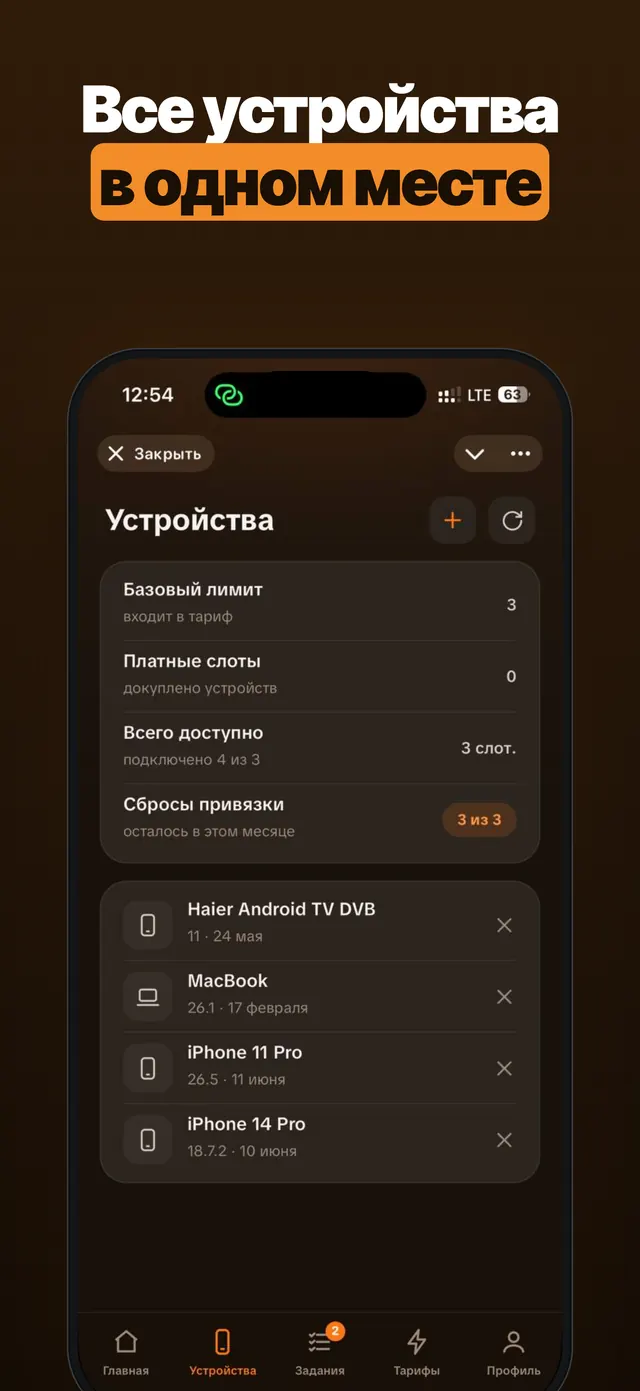
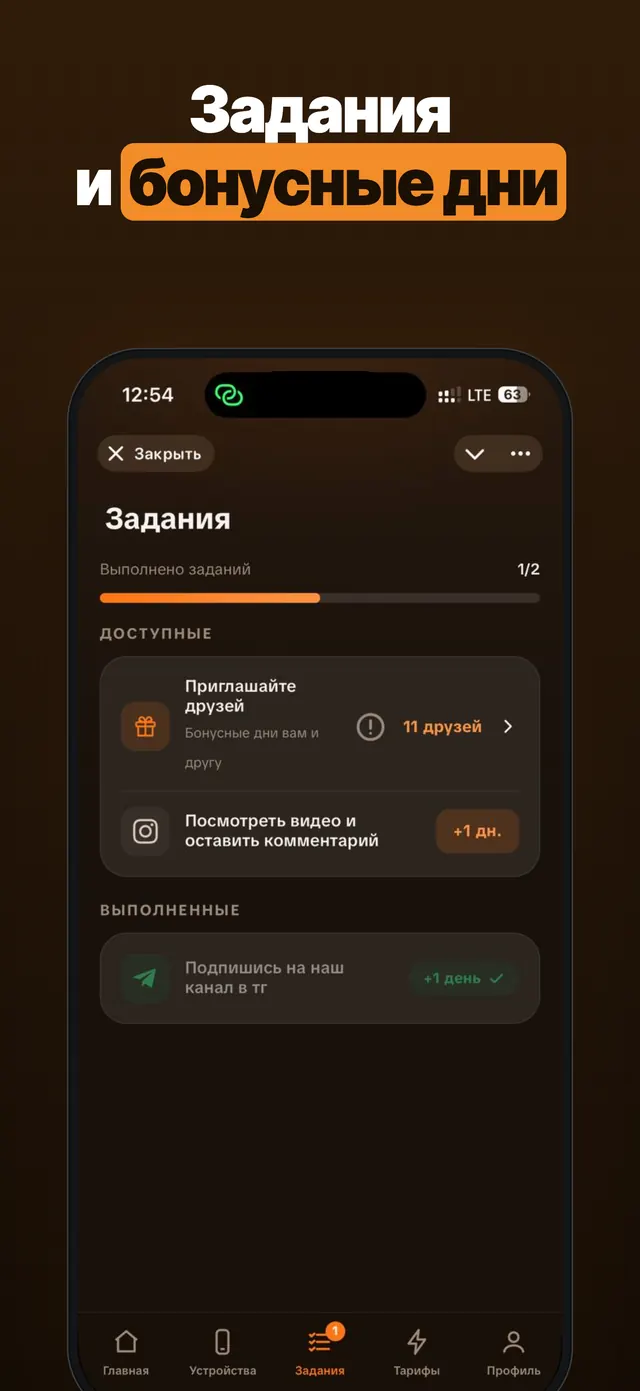
Tabs and sign-in without a password are what a bot cannot give on its own.
Two projects from the portfolio
Our portfolio has two more projects with a Mini App. We do not show client work screens, so only facts from the project cards.
School Platform: a platform for a school with Android and iOS apps, a Telegram Mini App, and a web version. Stack: Kotlin Multiplatform, Node.js, MariaDB, React. Here the Mini App is one of the project's four platforms.
Telegram Mini App Miner: a Telegram Mini App game: energy and boosts, quests, a referral program, NFTs, and TON wallet payments. Stack: Node.js, WebSocket, MySQL, TON. Here the Mini App is the project's only platform.
In these two projects the Mini App has two different roles: one of several platforms next to mobile apps, and the only platform.
When you do not need a Mini App
A bot with buttons is enough when there are few actions and each fits in one reply: booking one service, accepting a request, an order status. In the studio's practice, if you keep adding screens to the bot again and again, it is time to move them into a Mini App.
You also do not need it when your customers are not in Telegram. Then you need a website or a regular app: our article on types of mobile apps covers that choice.
One more limitation. Everything you collect in a Mini App is tied to a Telegram account. If a person leaves Telegram, they leave your service too. For some businesses this is fine; for others it is a risk worth naming out loud before development starts.
How to order and what the work consists of
In the development calculator you choose the "Telegram bot" platform. If you turn on custom design, that becomes the Mini App: a separate interface on top of the bot instead of messages. In the VPN service calculator on this site, the "Telegram Mini App" line is in 18% of calculations for September to October 2026. The panel is chosen in 82% of calculations, the admin panel in 68%.
The work splits like this: interface and layout, a backend that verifies Telegram data, the link with the bot, payments in Stars, an admin panel. The calculator prices it by composition, and we fix the timeline and specification before the start, as described on the development page.
If you want to see a bot in action first, there is a demo bot: it is about support, but this is what a live bot looks like in Telegram. We post studio news in our Telegram channel.
Frequently asked
How is a Telegram Mini App different from a bot?
A bot replies with messages and buttons under them. A Mini App is a full web page with its own interface that opens on top of the chat. They usually work as a pair: the bot sends notifications and accepts commands, and the Mini App shows the screens where buttons under a message are not enough.
Does a user have to register in a Mini App?
No. Telegram passes the app signed data about the user (ID, name, language), and your server checks the signature. No login or password is needed. Do not skip the signature check on the server: without it the data can be forged.
Can I accept payments in a Mini App?
Yes. Telegram requires digital goods and services to be sold for Stars: the app calls an invoice and the user pays inside Telegram. For physical goods you connect payment providers; the choice is described in Telegram's documentation.
Does a Mini App have to be published in the App Store and Google Play?
No. It is a web app: it opens from Telegram by a link or a button and is updated like a website, without store review.
What do I need to launch a Mini App?
A bot in BotFather, a website with the interface served over HTTPS, and a server that checks user data and stores orders. The launch button is set up in BotFather or in code.
Related articles
VPN Bot in Telegram: What It Should Do in a Service
How to build a VPN bot in Telegram for selling subscriptions: trial access, key delivery, autopayment, devices, referrals, support, panel integration.

MeerGuard: how we turned a VPN tool for friends into a service with 9000+ users
The MeerGuard story: from a client VPN order to our own service with 9000+ users and payback from the third month. What worked and what didn't.
AI in a Mobile App: How to Integrate ChatGPT
AI in a mobile app: the API key stays on the server, per-user limits, caching, moderation and a token-based cost estimate. Meerno as the example.